plenoptic.plot.synthesis_animate#
- plenoptic.plot.synthesis_animate(synthesis_object, framerate=10, batch_idx=0, channel_idx=None, included_plots=None, fig=None, axes_idx={}, figsize=None, width_ratios={}, rescale_ylim='rescale', **kwargs)[source]#
Animate synthesis progress.
Added in version 2.0: Combines previously separate loss plotting functions for
MetamerandMADCompetition.This animates the figure produced by
synthesis_statusover time, for each stored iteration. It begins by calling that function to initialize the first frame of the movie.This function’s behavior when
included_plots is None, and allowed values for that variable, depends upon the type ofsynthesis_object:Metamer:synthesis_imshow,synthesis_loss,metamer_representation_error. Additional allowed values:synthesis_histogram.MADCompetition:synthesis_imshow,synthesis_loss. Additional allowed values:synthesis_histogram.
- Parameters:
synthesis_object (
Metamer|MADCompetition) – Synthesis object with the images we wish to display.framerate (
int(default:10)) – How many frames a second to display.batch_idx (
int(default:0)) – Which index to take from the batch dimension.channel_idx (
int|None(default:None)) – Which index to take from the channel dimension. IfNone, plot all channels.included_plots (
list[str] |None(default:None)) – Which plots to include. See above for behavior ifNone, otherwise must be a list of strings whose values are names of plotting functions that can acceptsynthesis_object, see above for list.fig (
Figure|None(default:None)) – IfNone, we create a new figure. Otherwise we assume this is a figure that has the appropriate size and number of subplots.axes_idx (
dict[str,int] (default:{})) – Dictionary specifying which axes contains which type of plot, allows for more fine-grained control of the resulting figure. Keys must be strings matching the names of the included plots, see above for possible values, or"misc". All axes in"misc"will be ignored by this function. If you tell this function to create a plot that doesn’t have a corresponding key, we find the lowest int that is not already in the dict, so if you have axes that you want unchanged, place their idx in'misc'.figsize (
tuple[float,float] |None(default:None)) – The size of the figure to create. It may take a little bit of playing around to find a reasonable value. IfNone, we attempt to make our best guess, aiming to have each axis be of size(5, 5).width_ratios (
dict[str,float] (default:{})) – Ifwidth_ratiosis an empty dictionary, plot widths will depend onsynthesis_objectclass: forMADCompetition,synthesis_losswill have double the width of the rest; for other classes, all will be the same width. To change that, specify their relative widths; keys should be strings (possible values same asincluded_plots) and values should be floats specifying their relative width.rescale_ylim (
str|Literal[False] (default:'rescale')) –How to rescale y-limits of plots over time. Currently only applies to
metamer_representation_errorplot. Must be one of:False: never rescale y-limits.the string
"rescale": rescale y-limits 10 times over the course of the animation.a string of the form
"rescaleN": rescale y-limits every N frames.
**kwargs (
dict[str,Any]) – Additional keyword arguments to pass to plotting functions. Keys must be the of the form{plot_func}_kwargs, where{plot_func}name of the plotting function. See Examples for examples. Will raise a ValueError if there are additional kwargs.
- Return type:
- Returns:
anim – The animation object. In order to view, must convert to HTML or save.
- Raises:
ValueError – If synthesis for this
synthesis_objectwas run withstore_progress=False.ValueError – If
rescale_ylimtakes an illegal value.ValueError – If
kwargscontains additional keys.ValueError – If
synthesis_objectis aMetamerobject whosetarget_representationis 4d andrescale_ylimhas been set – we do not know how to best rescale color ranges.ValueError – If any of
width_ratios,included_plots, oraxes_idxreference an plot that is incompatible withsynthesis_object. See list at top of docstring for compatible plots for each class.TypeError – If
synthesis_objectis notMADCompetitionorMetamer
See also
update_plotFunction used by this one to update
synthesis_imshowandmetamer_representation_errorplots.synthesis_imshowOne of this function’s axis-level component functions: display synthesized image at a given synthesis iteration.
synthesis_lossOne of this function’s axis-level component functions: plot synthesis loss over iterations.
metamer_representation_errorOne of this function’s axis-level component functions: plot error in model representation at a given synthesis iteration.
synthesis_histogramOne of this function’s axis-level component functions: plot histogram of values from synthesized object.
synthesis_statusCreate a figure that shows a frame from this movie: the synthesis status at a given iteration.
Notes
This functions returns a matplotlib FuncAnimation object. See below for how to view to view it in a Jupyter notebook. See Examples section for how to save to disk. In either case, this can take a while and you’ll need the appropriate writer installed and on your path, e.g., ffmpeg, imagemagick, etc). See matplotlib documentation for more details.
Unless specified, we use the ffmpeg backend, which requires that you have ffmpeg installed and on your path (https://ffmpeg.org/download.html). To use a different, use the matplotlib rcParams:
matplotlib.rcParams['animation.writer'] = writer, see matplotlib documentation for more details.To view in a Jupyter notebook, we recommend adding the following to the first cell of your notebook (requires ffmpeg):
import matplotlib.pyplot as plt
plt.rcParams["animation.html"] = "html5"
# use single-threaded ffmpeg for animation writer
plt.rcParams["animation.writer"] = "ffmpeg"
plt.rcParams["animation.ffmpeg_args"] = ["-threads", "1"]
Examples
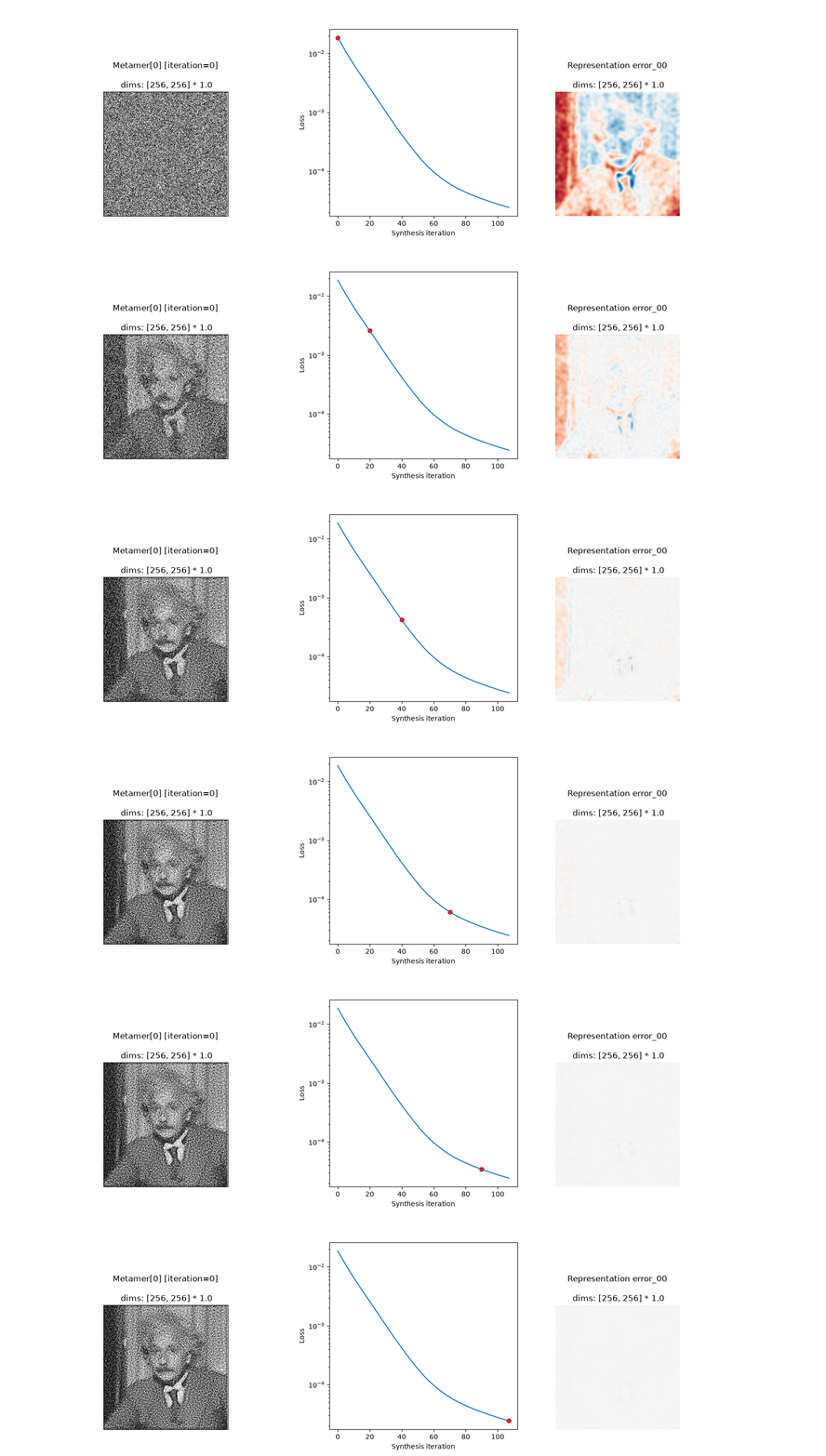
>>> import plenoptic as po
>>> import torch
>>> img = po.data.einstein()
>>> model = po.models.Gaussian(30).eval()
>>> po.remove_grad(model)
>>> met = po.Metamer(img, model)
>>> met.to(torch.float64)
>>> met.load(po.data.fetch_data("example_metamer_gaussian.pt"))
>>> ani = po.plot.synthesis_animate(met)
>>> # Save the video (here we're saving it as a .gif)
>>> ani.save("animate-example-1.gif")
This function can only be used if
synthesizewas called withstore_progress.>>> import plenoptic as po >>> img = po.data.einstein() >>> model = po.models.Gaussian(30).eval() >>> po.remove_grad(model) >>> met = po.Metamer(img, model) >>> met.to(torch.float64) >>> met.synthesize(5) >>> ani = po.plot.synthesis_animate(met) Traceback (most recent call last): ValueError: When synthesis_object.store_progress=False, cannot animate!
If model has its own
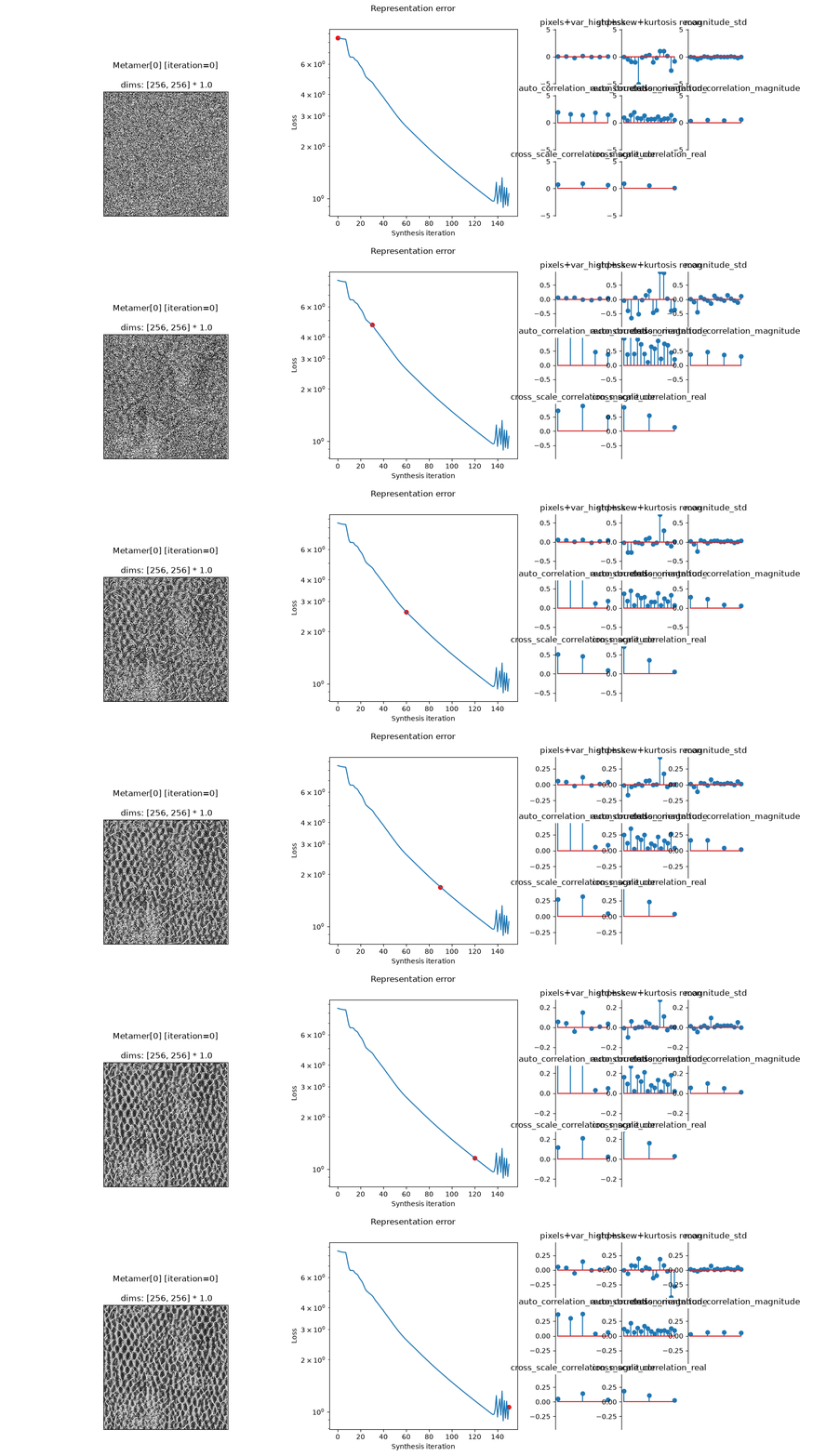
plot_representationmethod, this function will use it for plotting the representation error (seeplot_representation):>>> img = po.data.reptile_skin() >>> model = po.models.PortillaSimoncelli(img.shape[-2:]) >>> met = po.MetamerCTF(img, model, po.loss.l2_norm) >>> met.to(torch.float64) >>> met.load(po.data.fetch_data("example_metamerCTF_ps.pt")) >>> ani = po.plot.synthesis_animate(met) >>> # Save the video (here we're saving it as a .gif) >>> ani.save("animate-example-2.gif")
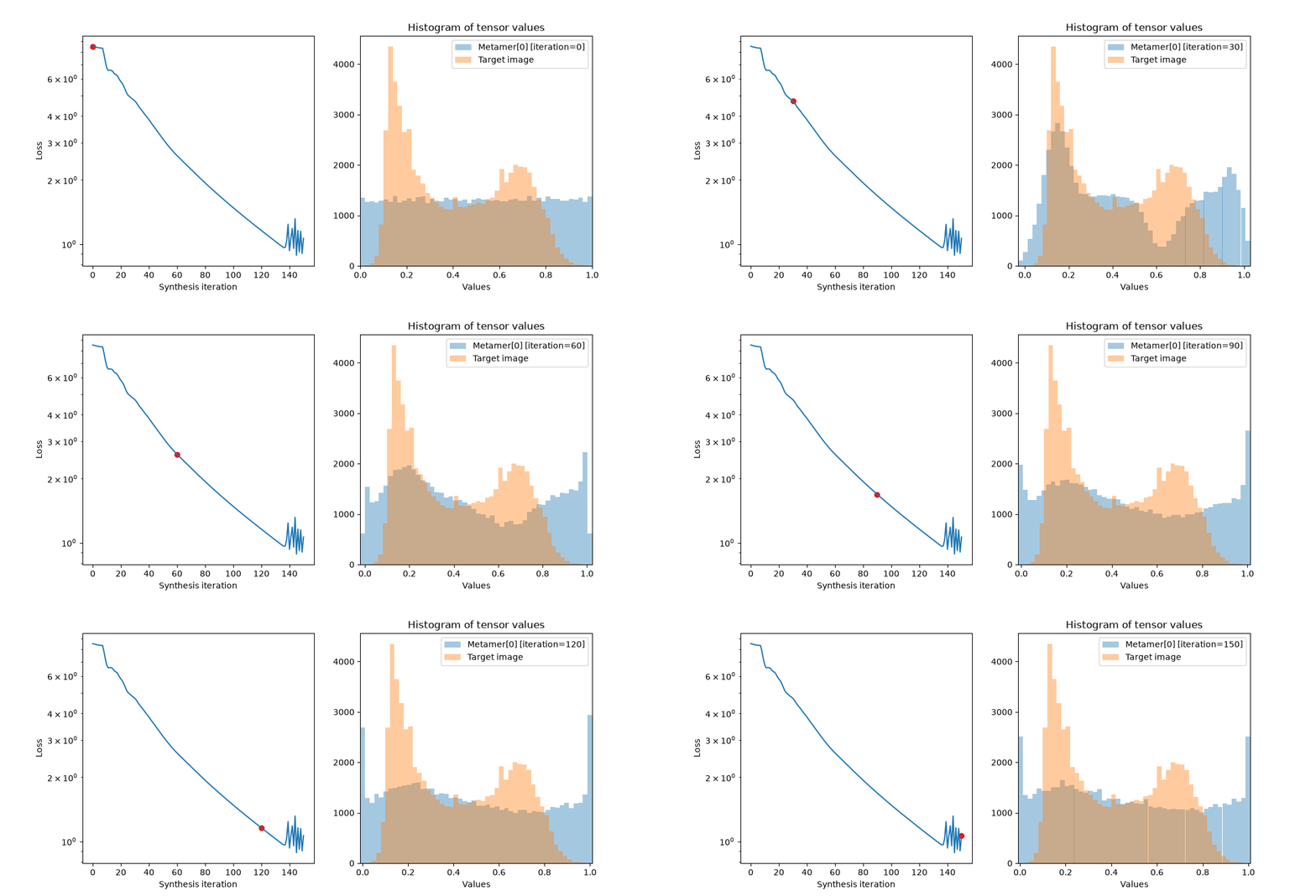
Change the included plots:
>>> included_plots = ["synthesis_loss", "synthesis_histogram"]
>>> ani = po.plot.synthesis_animate(met, included_plots=included_plots)
>>> # Save the video (here we're saving it as a .gif)
>>> ani.save("animate-example-3.gif")
Adjust width of included plots:
>>> width_ratios = {"metamer_representation_error": 3}
>>> ani = po.plot.synthesis_animate(met, width_ratios=width_ratios)
>>> # Save the video (here we're saving it as a .gif)
>>> ani.save("animate-example-4.gif")

Change the arrangement of the plots, creating some empty axes:
>>> axes_idx = {"misc": [0, 3], "synthesis_loss": 4}
>>> ani = po.plot.synthesis_animate(met, axes_idx=axes_idx)
>>> # Save the video (here we're saving it as a .gif)
>>> ani.save("animate-example-5.gif")

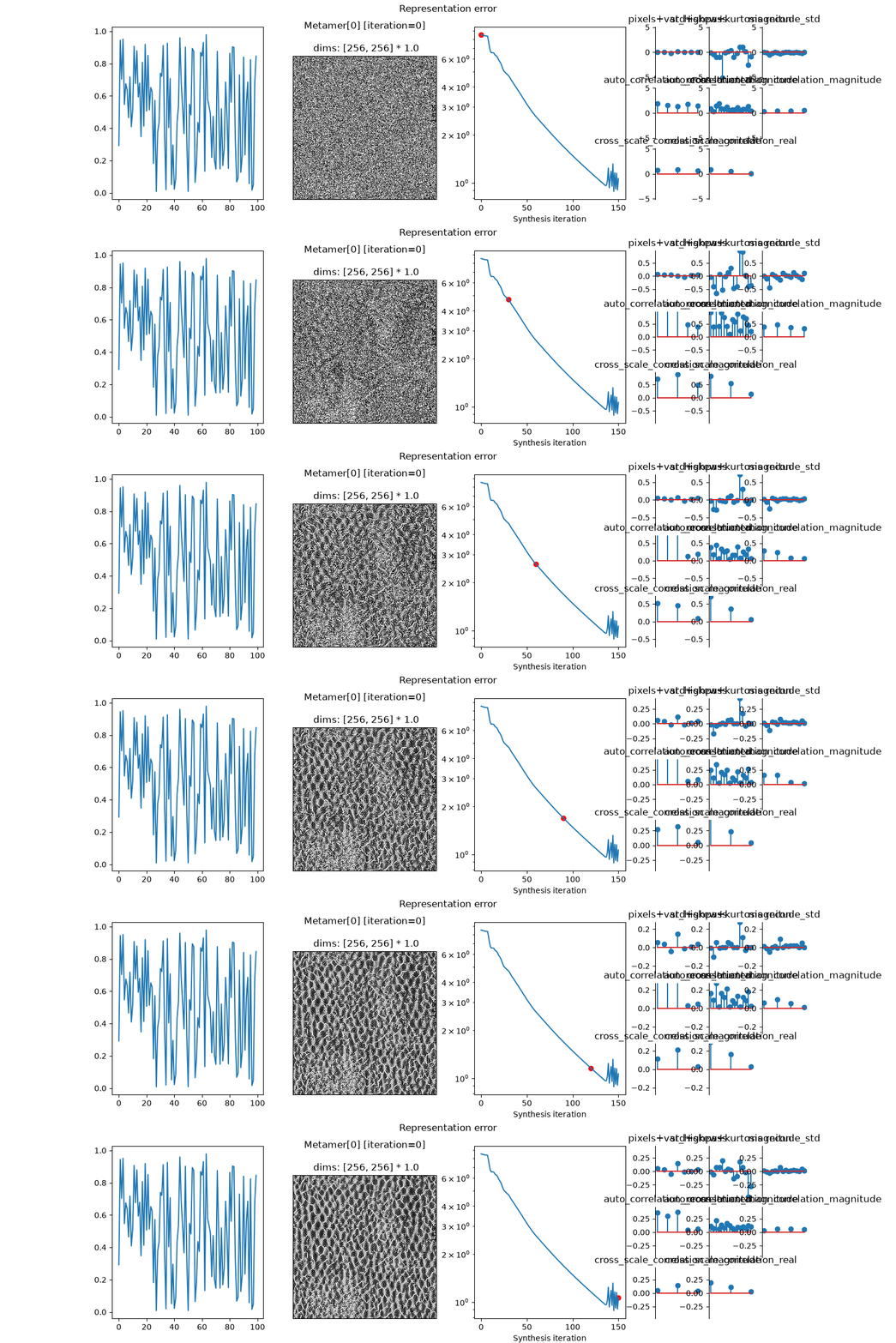
Plot on an existing figure, with already existing plots:
>>> fig, axes = plt.subplots(1, 4, figsize=(16, 4))
>>> axes[0].plot(torch.rand(100))
[<matplotlib.lines.Line2D ...>]
>>> # specify misc: 0 so we don't plot on top of this axis.
>>> axes_idx = {"misc": 0}
>>> ani = po.plot.synthesis_animate(met, fig=fig, axes_idx=axes_idx)
>>> # Save the video (here we're saving it as a .gif)
>>> ani.save("animate-example-6.gif")
Specify additional keyword arguments to one of the underlying plots:
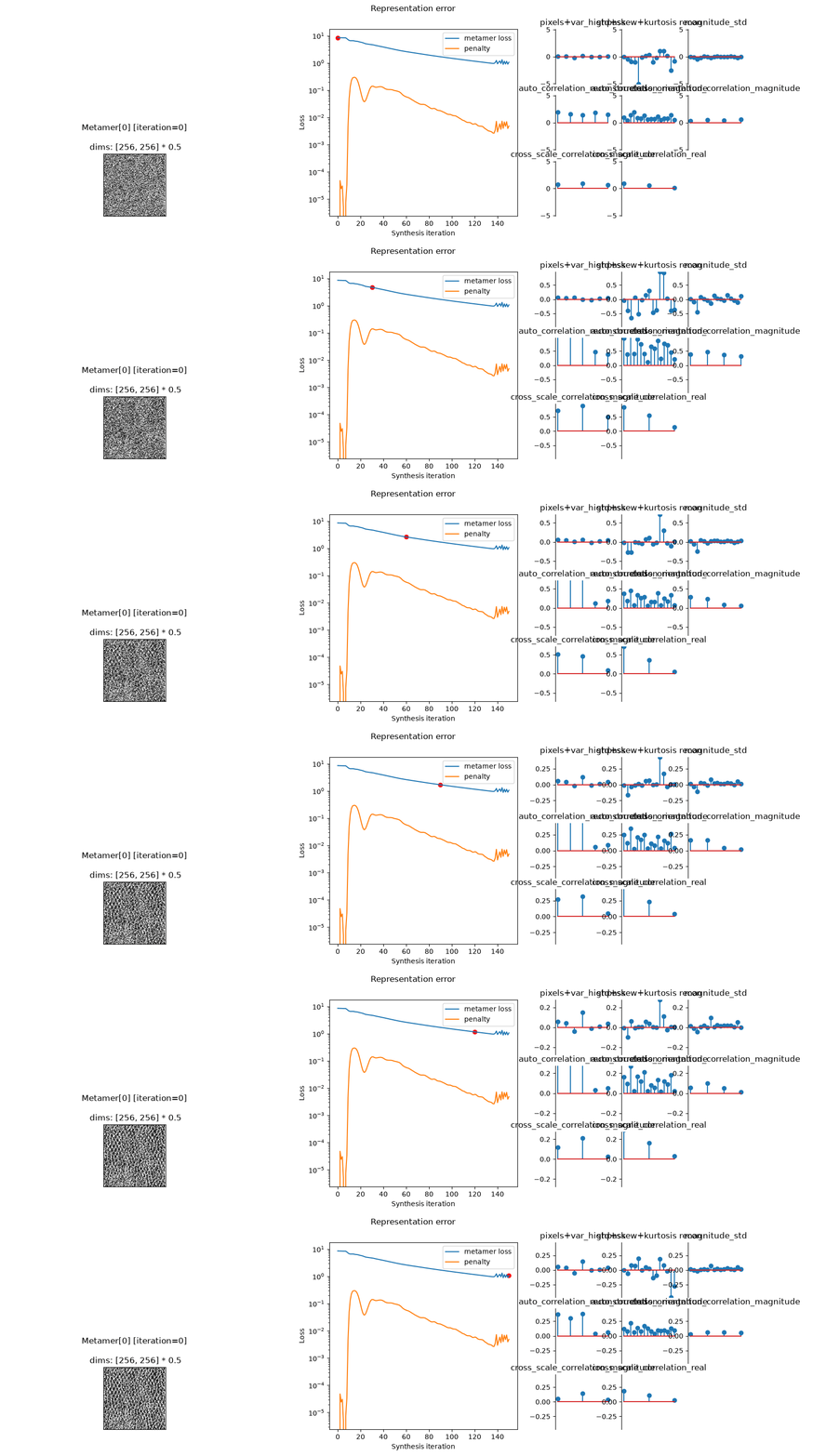
>>> ani = po.plot.synthesis_animate(
...     met,
...     synthesis_loss_kwargs={"plot_penalties": True},
...     synthesis_imshow_kwargs={"zoom": 0.5},
... )
>>> # Save the video (here we're saving it as a .gif)
>>> ani.save("animate-example-7.gif")
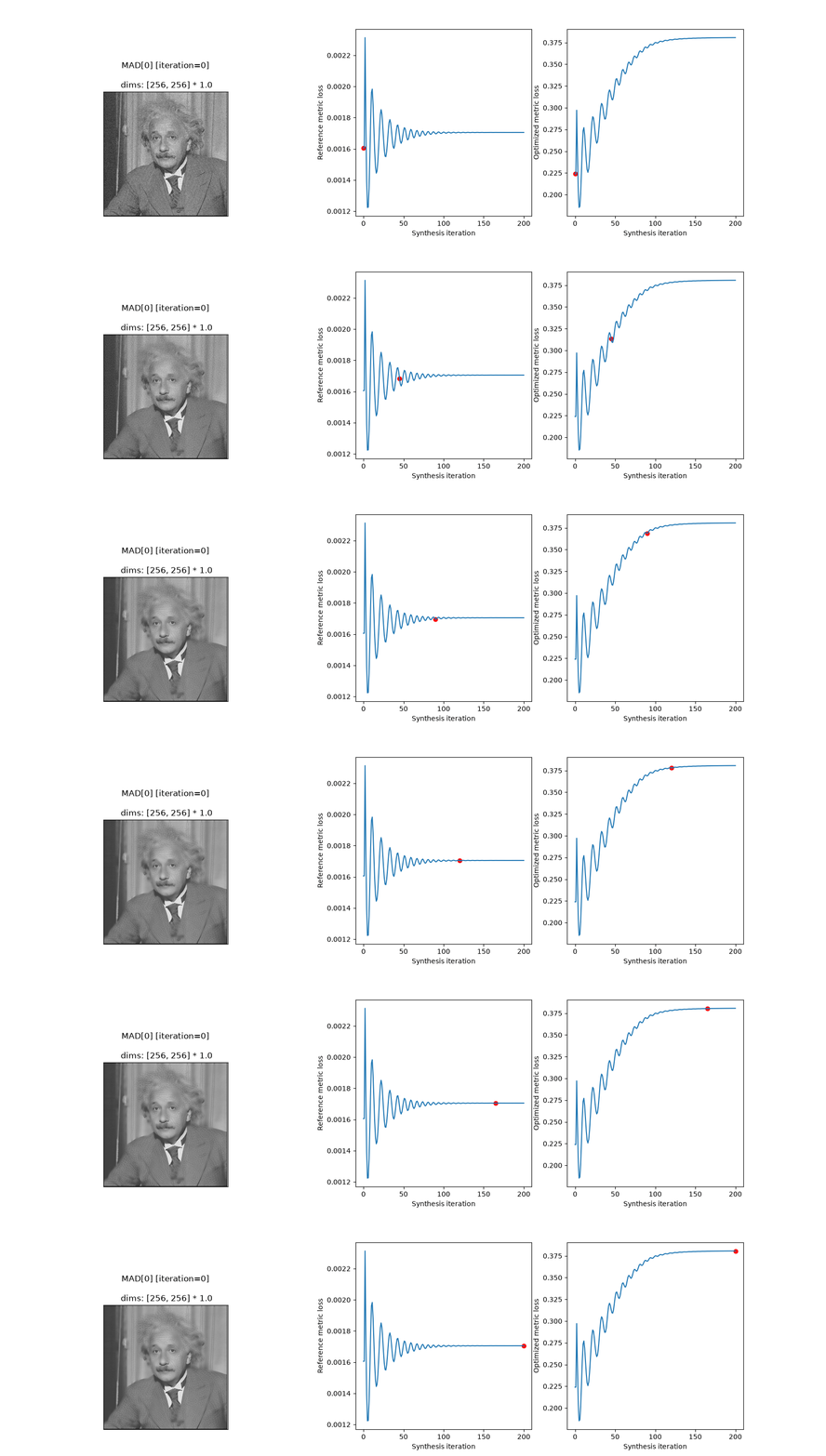
Plot for
MADCompetitionobject. Note the plots are different:>>> img = po.data.einstein().to(torch.float64) >>> def ds_ssim(x, y): ... return 1 - po.metric.ssim(x, y, weighted=True, pad="reflect") >>> mad = po.MADCompetition(img, ds_ssim, po.metric.mse, "max", 1e6) >>> mad.load(po.data.fetch_data("example_mad.pt")) >>> ani = po.plot.synthesis_animate(mad) >>> # Save the video (here we're saving it as a .gif) >>> ani.save("animate-example-8.gif")